TL;DR
|
It’s January, the course is frozen, and your swing is getting rusty by the day. So you start wondering: do golf simulators work, or are they just a fun way to spend a cold night with friends? Fair question. A screen and a launch monitor can look like a video game, and plenty of golfers assume that’s all it is.
Here’s the honest answer. A simulator won’t hand you a new handicap. But used with a plan, it’s one of the most useful practice tools around, because it tells you what really happened to the ball. Below, we cover how accurate the numbers are, where golf simulator game improvement shows up most, where it falls short, and a simple routine for your next session.
How Accurate are Golf Simulator Readings?
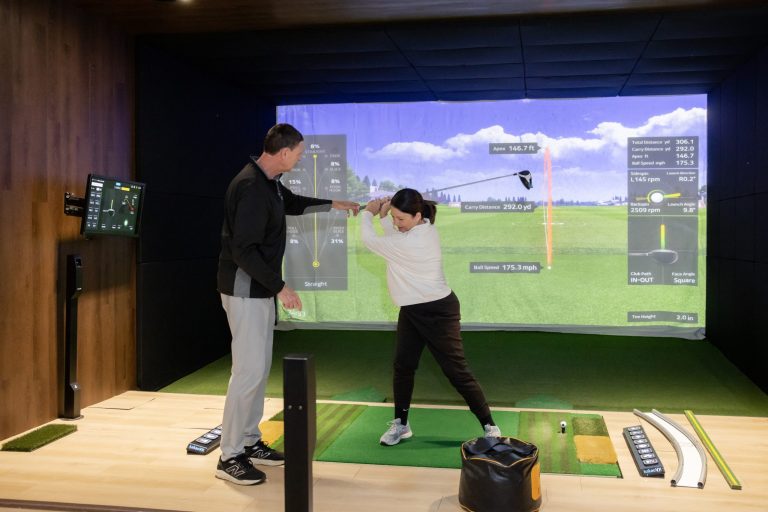
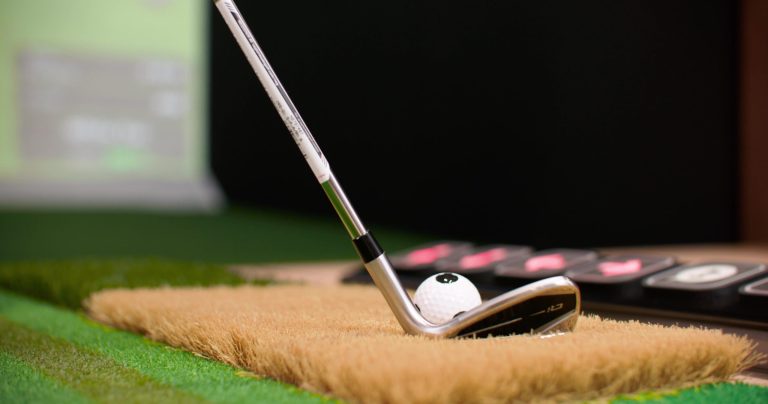
Good simulators are accurate enough to guide golf practice lessons, but how accurate depends on the system, the setup, and how you read the output. Launch monitors measure things like spin, ball speed, and launch angle using cameras, radar, or a mix of both. Calibration, lighting, the mat, and even the ball can nudge the numbers. Carry distance is usually more trustworthy than total distance, since roll depends on a virtual turf model. Not every system is equally precise, so ask what technology a facility uses. And keep your conditions the same from visit to visit. So does golf simulator practice work if the numbers aren’t perfect? Yes. Practice is about comparing like with like, and trends over time matter more than one reading.
How Golf Simulator Practice Can Improve Your Game
| Quick answer: Can a golf simulator improve your game? Yes, when you practice with a goal and act on the data. The screen shows you the problem. You still have to do the fixing. |
Do golf simulators improve your game? They can, in specific, measurable ways. Every golf simulator practice benefit below comes back to the same thing: golf simulator accuracy and feedback you can see and compare from shot to shot.
Swing Consistency
Hit ten shots with the same club and watch how tightly they group. If swing speed, path, or face angle jump around, you’ve found where the inconsistency lives. Can a golf simulator improve your golf swing? It shows you the pattern clearly. Drills, participating in golf leagues, or a coach can fix it.
Ball Striking
Metrics like ball speed, smash factor, and launch angle (where your system reports them) show whether you’re finding the center of the face. A thin, weak shot looks very different from a flush one. Over a few sessions, you can see strike quality getting better or not.
Distance Gapping
Most golfers guess their yardages. Carry numbers for each club show the real gaps, and they’re often surprising. Maybe your 8-iron and 9-iron fly the same distance, or there’s a canyon between your 7-iron and 6-iron. Knowing it beats hoping.
Shot Accuracy
Dispersion tells you where your misses go. If nine of ten wayward shots finish right of target, that’s not bad luck; it’s a tendency. Once you can see it, you can aim differently or work on the cause with a golf simulator’s instant feedback. Golf simulator memberships help in keeping you consistent with regular shot practice.
Short Game
For most amateurs, a big share of strokes happen close to the green. Simulators let you hit wedges to set distances and see how close your carry lands to the target. Distance control on chips and pitches gets sharper fast with that kind of instant feedback.
Putting
Putting is the hardest part for any simulator to copy, so treat it as a tool for speed control and consistent setup rather than a perfect read of real greens. Rolling putts from the same distances and tracking how far they finish can still build useful habits.
Course Strategy
Playing a virtual round shows which club off the tee keeps you out of trouble and which approach shots you leave yourself too often. That’s the real path to lowering your golf handicap in simulator practice: find the leak, fix it, and measure it again.
Does Indoor Golf Practice Improve Outdoor Golf Performance?
Mostly yes, with some limits. Does indoor golf practice improve outdoor golf? The parts that transfer best are the repeatable ones: tempo, strike, clubface control, and knowing your numbers. Repeatable conditions and measurable feedback make those skills easier to build, no matter the weather. What doesn’t transfer automatically is everything a simulator can’t fully copy: uneven lies, wind on your face, real turf, the nerves of a tight match, and the speed and break of an actual green. In the golf simulator vs driving range debate, the range gives you real ball flight and turf, while the simulator gives you data and a roof. The smartest golfers use both.
| Quick answer: Indoor practice improves the repeatable parts of your game. Test them outdoors, because lies, wind, and pressure still need real-course experience. |
A Golf Simulator Training Routine That Delivers More Focused Practice
Walking in and just smashing drivers feels good, but it rarely moves the needle. A solid golf simulator training routine has a start, a middle, and an end, and it measures something at every stage. Here’s a sample 55-minute session you can adjust to your own game.
- Warm-up (8 to 10 minutes): Start with easy swings, wedges up to mid-irons, at about 70 percent effort. Watch tempo and solid contact. Don’t worry about distance yet.
- Full swing (15 minutes): Hit ten shots each with your driver and one iron. Track carry distance and how tightly the shots group.
- Approach shots (12 minutes): Pick three target distances, say 100, 130, and 150 yards. Aim for each one and note how far your carry lands from the target.
- Short game and putting (13 minutes): Hit chips and pitches to different targets, then roll putts from three distances. Focus on distance control.
- Progress review (5 minutes): Look at your averages and spread, pick one thing to work on next time, and write it down.
How to Get More Out of Your Next Golf Simulator Session
Will a golf simulator help my game if I just show up and swing? Somewhat. But a few small habits make each session count for more.
- Set one goal. “Fix my pull with the 7-iron” beats “get better.”
- Use the same club for comparable tests, so you’re measuring real change and not a different club’s behavior.
- Review shot patterns, not single shots, to master golf swing basics. One great swing proves nothing.
- Don’t chase perfect numbers. Aim for consistent, repeatable ones.
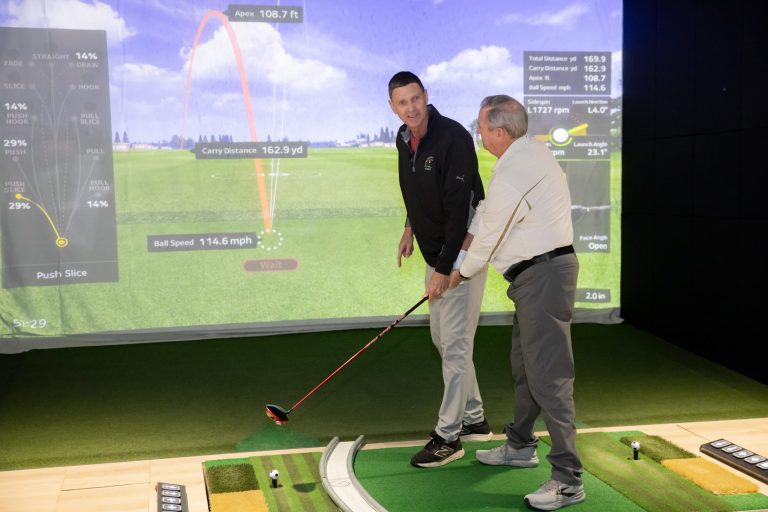
- Get professional feedback when you hit a wall. A coach reading your data saves a lot of guessing.
Golf VX’s practice tools suit this approach. They include dedicated long game, short game, and putting practice, AI swing analysis with slow-motion playback, and course practice where you can adjust things like tee position and wind.
Practice With Purpose at Golf VX
If you want to turn your practice sessions into measurable progress, Golf VX gives you the tools to work on specific areas of your game. You can review real shot data, focus on long game, short game, and putting practice, and use AI swing analysis to better understand your swing mechanics. Course practice also lets you apply what you have been working on in simulated playing situations, all in an indoor environment where weather does not interrupt your session.
Ready to put your practice plan to work? Book a bay to try the routine above, explore lessons to work one-on-one with a coach using your own swing data, or find a location near you at playgolfvx.com.
Conclusion
So, can you get better at golf with a simulator? Yes, when you use it with a clear practice plan. From building a more consistent swing to improving distance control, simulator practice gives you valuable feedback to understand your strengths and identify areas that need work.
The key is to practice with purpose. Focus on one weakness at a time, track your progress across sessions, and avoid chasing perfect numbers on every shot. Then take what you learn indoors to the course, where wind, uneven lies, and pressure introduce challenges a simulator cannot fully replicate.
A golf simulator gives you the data, but consistent practice and applying those lessons outdoors help turn that feedback into better golf.
FAQs
Will a Golf Simulator Make You a Better Golfer?
It can, if you use it with a plan. Feedback on carry, dispersion, and swing patterns helps you find and fix weak spots. Do golf simulators help your game on their own? Not really. Results come from purposeful practice, plus real rounds to test what you’ve worked on.
Are Golf Simulators a Good Way to Practice?
Yes, especially for consistency and distance control, and you can practice in any weather. With golf simulators, you also get instant feedback, which becomes a great source of purposeful practice as you get to improve based on feedback.
Do You Actually Hit a Ball in a Golf Simulator?
Yes. You hit a real ball, usually into an impact screen, while sensors or cameras track it and the system shows the ball flight on screen. At Golf VX, balls tee up automatically, so you can keep a steady rhythm.
How Realistic is a Golf Simulator?
It depends on the system. Ball flight, graphics, and course play can feel close to the real thing. What’s hard to copy is wind on your face, real turf, uneven lies, and the nerves of a tight round.
Why Do I Hit Shorter on Simulator?
A few reasons. Simulators often show carry, while you may remember total distance with roll. There’s also no wind or elevation help, and mats and cold swings play a part. Compare carry to carry before you decide anything’s off.
How Long Should You Spend At a Golf Simulator?
About 45 to 60 minutes of focused practice is plenty for most golfers. After that, fatigue creeps in and your form slips. Shorter, regular sessions beat one long grind.
Are Golf Simulators Accurate on Distance?
Carry distance is usually the most reliable number. Total distance depends on the virtual turf, so it can differ from what you see outdoors. Accuracy varies by system, so check your carry on a range once and compare.